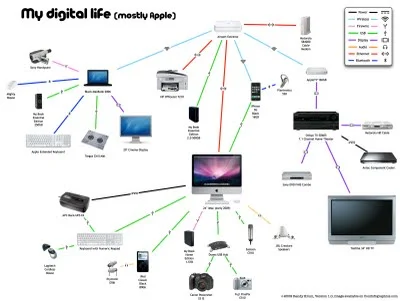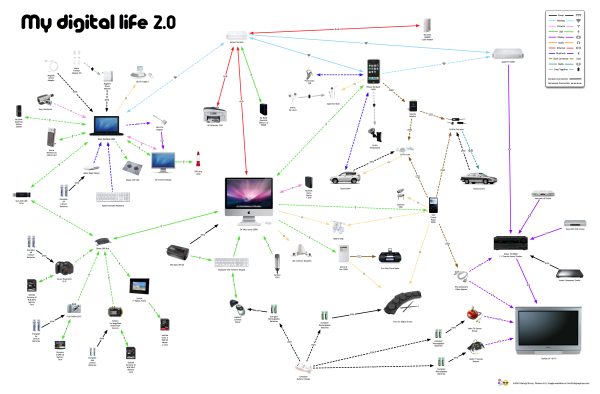
Presenting My Digital Life 2.0! I’ve significantly updated the My Digital Life infographic I designed last year. In addition to including many more gadgets and accessories in the graphic, I changed the connection lines to indicate either a constant or occasional connection. The line arrows also indicate the direction of information flow (sometimes one-way, sometimes both ways). You can see the high-resolution images on Flickr by clicking on the images.
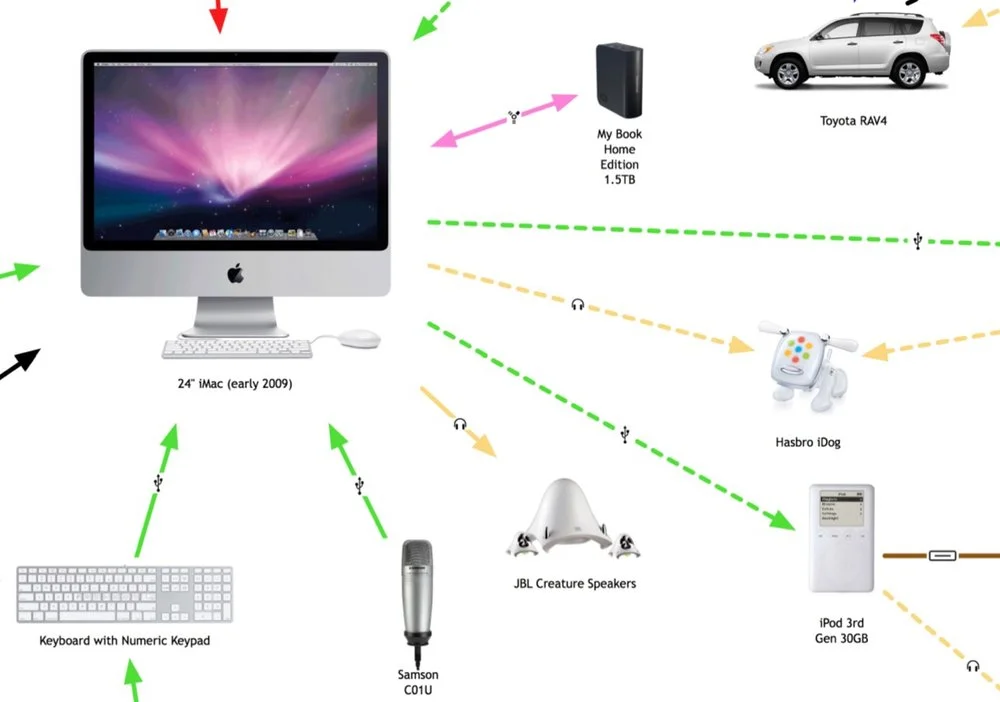
The infographic highlights many of the decisions a consumer has to make with each new gadget they buy.
What kind of batteries should I use?
How much and what kind of memory will I need?
How do I connect to my existing gadgets and computers?
How will it work in my car?
Do I have an available connection?
Where can I add a new gadget (like a new hard drive)?
For the purpose of Product Development and Marketing, this is a fantastic way to map out the experiences a consumer faces and how new products will fit into their life. For example, if you were at a company designing a new consumer electronic gadget how would your product fit into your target consumer’s life? What decisions would they have to make about your product? Is it easy for them to understand if your new product will work with their existing setup?
Even if you’re only a headphone manufacturer, it’s incredibly important to understand the whole consumer experience.
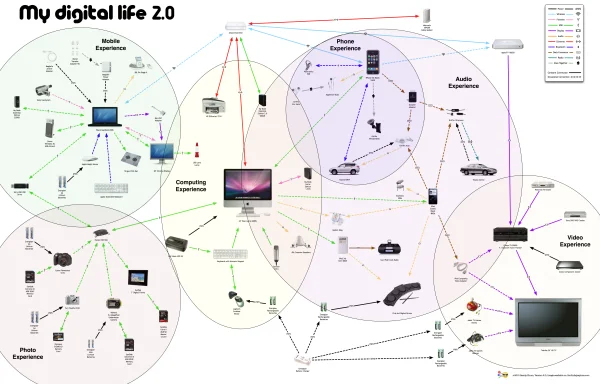
You’ll notice that the map began to form natural groupings that I call experience zones. Here’s a modified version that highlights six specific areas of experience: video, audio, phone, photos, computing and mobile. From an average consumer perspective, I know I’m missing two potential additional areas: Gaming and Reading. I don’t own a gaming console (Xbox or Wii) and I don’t own an e-reader (Amazon Kindle or Sony Reader).
Since I’m a technology geek, I already understand how all of these connections work…in my head. I’m the one who set them up and I use them every day. However, imagine your parents or grandparents trying to understand all of these connections, and that doesn’t include the software communication between many of these gadgets.
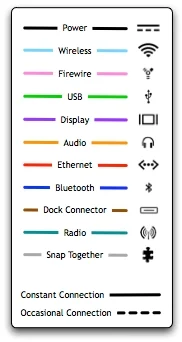
I’ve added a few new types of connections, and included the different line types in the legend. I also took a few liberties with the connection types. “Snap Together” indicates any type of physical connection, like the Ear Jams snapping onto my Apple Earbuds and also the iPhone snapping into the car mount. I left the camera memory cards as USB connections without getting into any more detail of the inner connections in the cameras. The legend is not truly necessary because in true Tufte form, I included the connection icons in each of the connection lines, but I decided to leave the legend in to identify any icons that people aren’t familiar with.
The biggest challenge in designing the infographic, was arranging everything so that none of the lines crossed. To make this happen, I ultimately had to skip a couple connections. I have used the Etymotics earbuds with the MacBook occasionally, but that connection line would have been horribly ugly, crossing the entire graphic.